Products
Ansys SCADE Display
Design Embedded Displays for HMIs
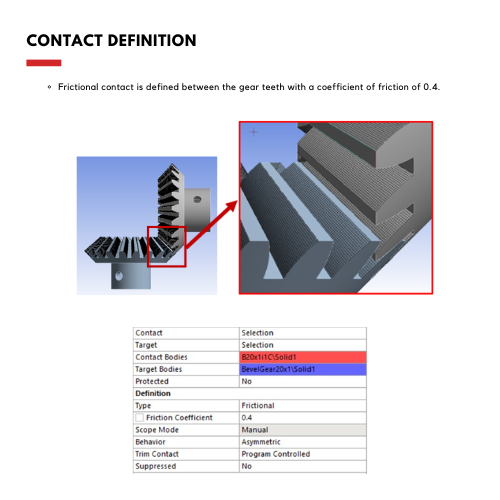
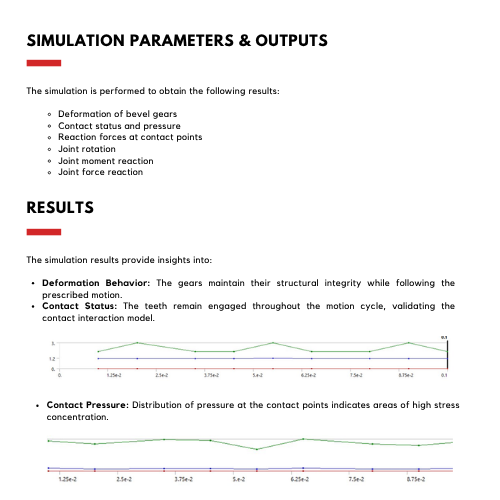
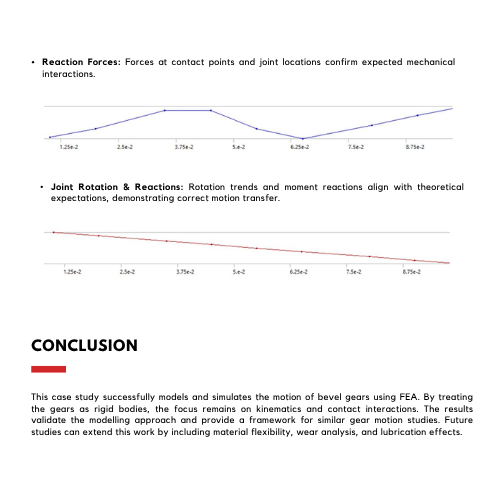
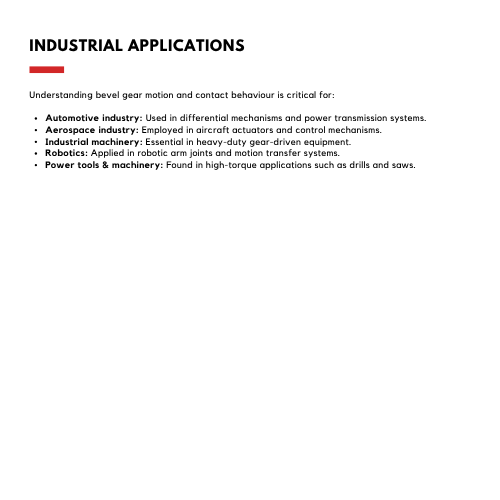
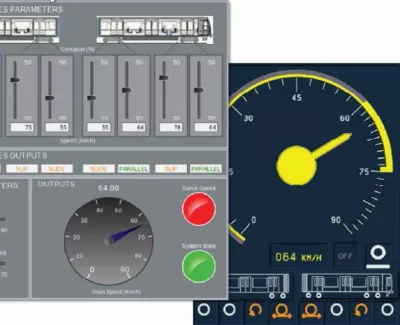
Ansys SCADE Display is a specialized tool for modeling human-machine interfaces. SCADE Display facilitates embedded graphics, display and HMI development, and certified code generation for safety-critical displays.
Overview
DESIGN EMBEDDED HMI Develop Embedded HMIs and Their Behavioral Logic
Ansys SCADE Display empowers users with a versatile graphics design and development environment for embedded Human Machine Interfaces (HMI).
With a native support for the OpenGL® SC (Safety Critical) and ES (Embedded System) standards, Ansys SCADE Display represents a new generation of graphics software development tools, spanning prototyping, display design, simulation, verification and validation, and certified automatic code generation supporting several safety standards in a certifiable environment.
- Tailored for Critical Embedded HMIs
- Streamlined Design of Interactive HMIs
- Verification and Validation
- Automatic Qualified Code Generation
Features
Quick Specs
Ansys SCADE Display supports uncompromising safety, tight system integration, a high degree of responsiveness and automatic compliance with industry regulations such as ARINC 661 and DO-178C.
Still have a question?
Automatic Code Generator
Certification Ready
Advanced Modeling
High-Quality Editing
Streamlined HMI Design
Integrated Font Management
Java-Based API
Requirements Traceability Support
Graphical Designs Importer
Interactive Graphic Simulation
Automatic Design Checking
SCADE Tools Integration
Capabilities
Versatile graphics design and development environment for both embedded HMIs and their behavioral logic
Ansys SCADE Display is used as an HMI display software prototyping and development tool by leading companies in the aerospace, automotive, rail transportation, nuclear, and industrial domains. It is ideally suited to support the design of critical embedded display systems (Multi-Function Displays, Head-Up Displays, Digital Instrumentation, Dashboards and Control Panels, etc.) but also to create schematics (electrical, hydraulic, or plant mimic diagrams), as well as 2-D/3-D simulator displays and trainers for drivers/pilots, crews or maintenance teams.
Capabilities
Key Features
Ansys SCADE Display is fully equipped to design, test, simulate, verify and certify embedded displays for critical applications
Graphical Prototyping and Design
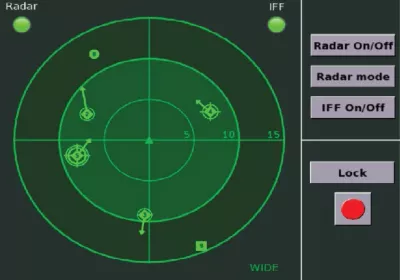
HMI Behavioral Logic Design
HMI Behavioral Logic Design ModelCenter permits engineers to connect any analysis to behavioral diagrams created using NoMagic MagicDraw/Cameo or PTC Windchill Modeler. The integrated model (behavioral diagram plus analysis) results in a high-fidelity system simulation allowing engineers to accurately VERIFY system behavior and performance early in the design cycle, reducing costs and designing better products.
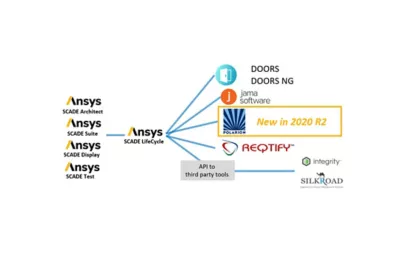
Support for Application Life Cycle Management

Support for Application Life Cycle Management ModelCenter provides users with tools and methods that allow them to automate the execution of any modeling tool. Examples include user-created tools and scripts, legacy FORTRAN/C++ programs, spreadsheets, mathematical models, databases, and Computer-Aided Design (CAD) and Computer-Aided Engineering (CAE) models.
Interactive Simulation
Interactive Simulation Once a few software tools are automated, ModelCenter’s drag-and-drop graphical user interface can be used to assemble these tools into a complete engineering workflow. An engineering workflow specifies the order and conditions of how and when to automate the tools. Like flowcharts, workflows can contain branches, if-then statements, loops, etc. Execute the workflow – automatically.
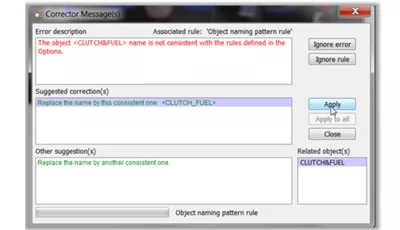
ModelCenter’s Link Editor allows you to specify the data transferred from one tool to the next when the workflow executes. Your workflow may contain tools that run on any number of different computers and operating systems.
Integrated Design Checking
Integrated Design Checking Analysis and trade-study results can be used to significant trends and trade-offs. Once a repeatable engineering analysis process is created, engineers can repeatedly execute the process (using parallel computing resources if available). Each execution corresponds to a different set of inputs. Engineers can explore and quantify the performance, cost, reliability, and risk of many various design alternatives in a relatively short time.
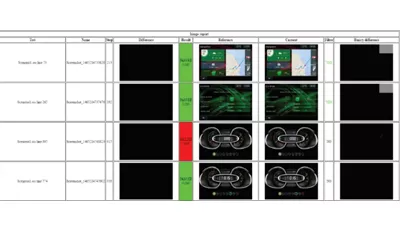
HMI Testing Automation
HMI Testing Automation Analysis and trade-study results can be used to significant trends and trade-offs. Once a repeatable engineering analysis process is created, engineers can repeatedly execute the process (using parallel computing resources if available). Each execution corresponds to a different set of inputs. Engineers can explore and quantify the performance, cost, reliability, and risk of many various design alternatives in a relatively short time.
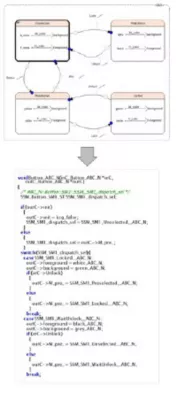
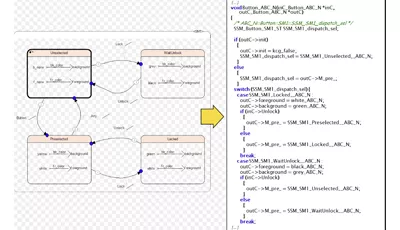
Automatic Code and HMI Generation
Automatic Code and HMI Generation Analysis and trade-study results can be used to significant trends and trade-offs. Once a repeatable engineering analysis process is created, engineers can repeatedly execute the process (using parallel computing resources if available). Each execution corresponds to a different set of inputs. Engineers can explore and quantify the performance, cost, reliability, and risk of many various design alternatives in a relatively short time.
Certification for Critical Safety Standards
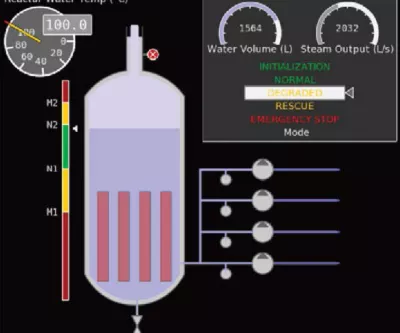
Certification for Critical Safety Standards Analysis and trade-study results can be used to significant trends and trade-offs. Once a repeatable engineering analysis process is created, engineers can repeatedly execute the process (using parallel computing resources if available). Each execution corresponds to a different set of inputs. Engineers can explore and quantify the performance, cost, reliability, and risk of many various design alternatives in a relatively short time.
Connectivity with System Simulation Tools

Connectivity with System Simulation Tools Analysis and trade-study results can be used to significant trends and trade-offs. Once a repeatable engineering analysis process is created, engineers can repeatedly execute the process (using parallel computing resources if available). Each execution corresponds to a different set of inputs. Engineers can explore and quantify the performance, cost, reliability, and risk of many various design alternatives in a relatively short time.
Visioneering
Recent Events &
Webinars
Discover how engineering simulation is expanding across the entire product lifecycle.
Ansys Multiphysics
Conference
Join us on Saturday, June 10th, 2023, at 3 PM. The event will take place at Riverside Park, 123 River Lane, Springfield.
Blog
Future Tech Expo 2025
Join us on Saturday, June 10th, 2023, at 3 PM. The event will take place at Riverside Park, 123 River Lane, Springfield.
Blog
Innovative Simulations
Summit 2025
Join us on Saturday, June 10th, 2023, at 3 PM. The event will take place at Riverside Park, 123 River Lane, Springfield.
Innovative Simulations
Summit 2025
Join us on Saturday, June 10th, 2023, at 3 PM. The event will take place at Riverside Park, 123 River Lane, Springfield.
Ansys Multiphysics
Conference
Join us on Saturday, June 10th, 2023, at 3 PM. The event will take place at Riverside Park, 123 River Lane, Springfield.
Blog
Innovative Simulations
Summit 2025
Join us on Saturday, June 10th, 2023, at 3 PM. The event will take place at Riverside Park, 123 River Lane, Springfield.
Visioneering
Blogs & Trends
Discover how engineering simulation is expanding across the entire product lifecycle. engineering / product design analysis by modeling & simulation.

Introduction Mi tincidunt elit, id quisque ligula ac diam, amet. Vel etiam suspendisse morbi eleifend faucibus eget vestibulum felis. Dictum quis montes, sit sit. Tellus aliquam enim urna, etiam. Mauris
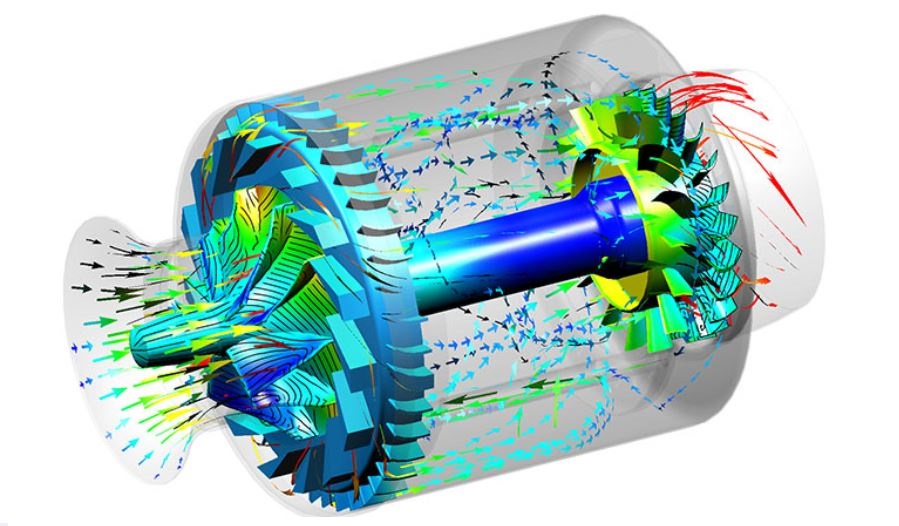
Introduction Mi tincidunt elit, id quisque ligula ac diam, amet. Vel etiam suspendisse morbi eleifend faucibus eget vestibulum felis. Dictum quis montes, sit sit. Tellus aliquam enim urna, etiam. Mauris
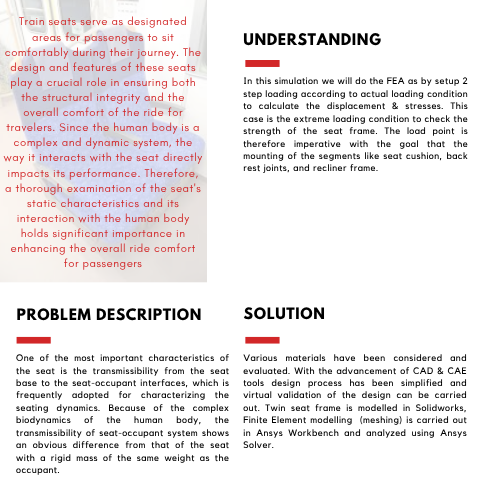
Introduction Mi tincidunt elit, id quisque ligula ac diam, amet. Vel etiam suspendisse morbi eleifend faucibus eget vestibulum felis. Dictum quis montes, sit sit. Tellus aliquam enim urna, etiam. Mauris
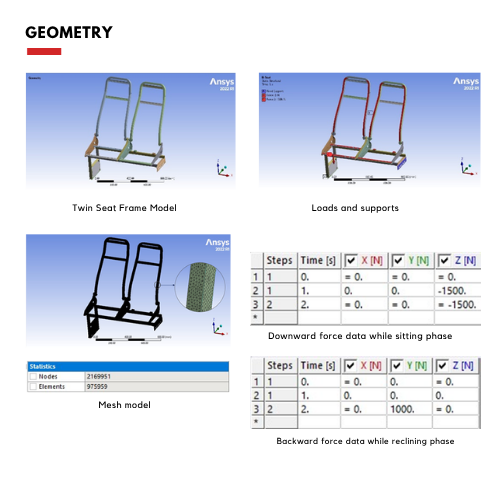
Introduction Mi tincidunt elit, id quisque ligula ac diam, amet. Vel etiam suspendisse morbi eleifend faucibus eget vestibulum felis. Dictum quis montes, sit sit. Tellus aliquam enim urna, etiam. Mauris
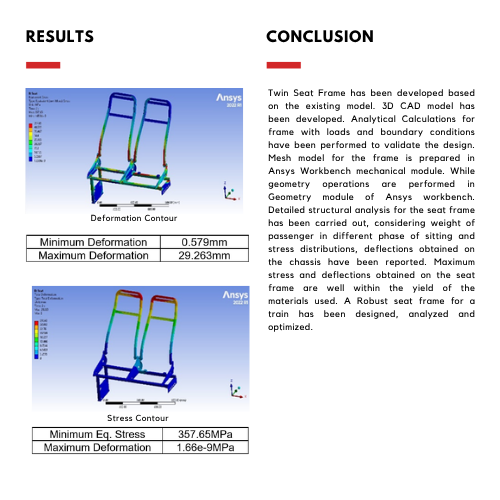
Innovate
Breaking News & White Paper
Discover how engineering simulation is expanding across the entire product lifecycle.
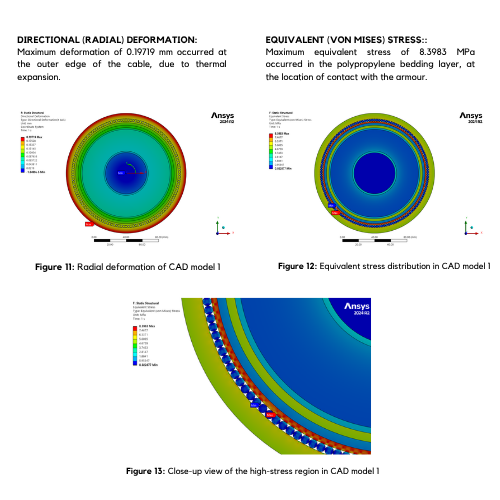
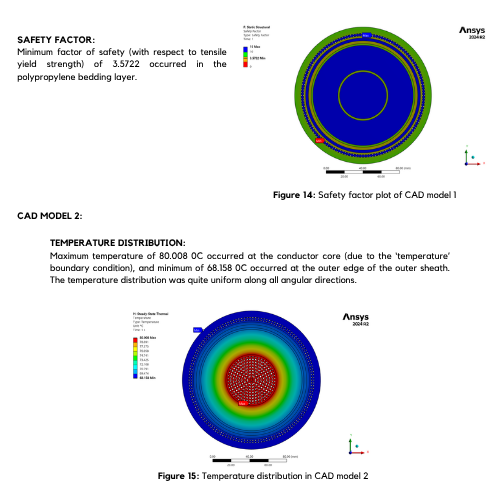
Smart Strategies for Large Structural Simulations
One way to gauge the progress of engineering simulation software is through the lens of size. Engineers today routinely run structural simulations with a few million degrees of freedom, and the largest commercial structural simulations have topped even 100 million degrees of freedom.
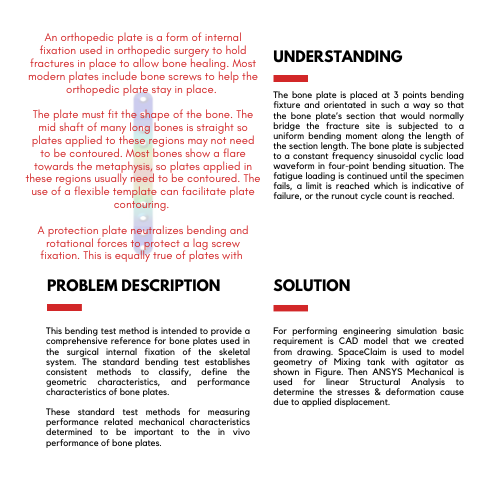
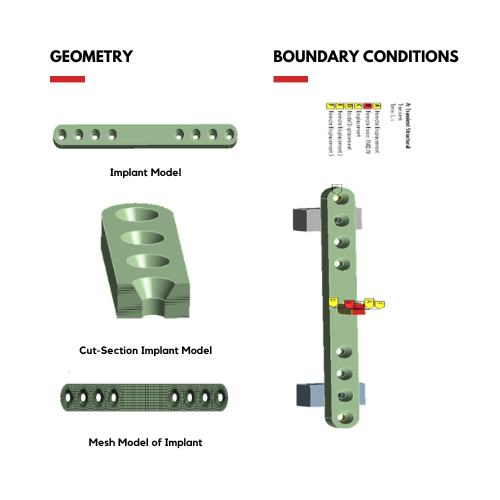
Introduction Mi tincidunt elit, id quisque ligula ac diam, amet. Vel etiam suspendisse morbi eleifend faucibus eget vestibulum felis. Dictum quis montes, sit sit. Tellus
Studies
Case
Explore Case Studies
Qantur Technologies is a pioneer engineering simulations company based in Gurgaon –India. We provides expert Computer Aided Engineering – CAE consulting services for engineering / product design analysis by modeling & simulation.
Download Case Study
Transform Ideas into Reality—Explore Our Simulation Solutions Today!
Partner with Us to Revolutionize Engineering Excellence!
Testimonials
Customer Testimonials
Bengal Industries Pvt. Ltd
Highly informative ANSYS Mechanical training resolved contact, meshing, fatigue challenges, delivered professionally with structured sessions and dependable post-sales support.
Sneha Iyer — Simulation & Validation Lead
Strong CFD expertise and reliable consulting achieved high accuracy, building confidence and establishing a preferred partnership for complete ANSYS simulation solutions.
Aditya Rao — Senior FEA Specialist
Insightful ANSYS training enhanced analytical skills through expert guidance in FEA, CFD, geometry, meshing, and modeling for students and faculty.
Nikhil Bansal—Product Engineering
Outstanding ANSYS implementation and consulting delivered timely FEA and CFD support, strengthening team capabilities through structured, high-value training sessions.
Ananya Mehta — CAE Project Lead
Advanced ANSYS HPC and CFD solutions enabled effective hydro turbine simulations, supported by expert training, technical guidance, and reliable support.
Saurabh Joshi — Senior Mechanical Engineer
Customized SpaceClaim training with hands-on workshops improved modeling skills, supported by proactive guidance, tailored sessions, and strong application engineering expertise.
Pooja Shah — CFD & Thermal Analysis Lead
Advanced drone development benefited from ANSYS expertise, delivering effective FEA and CFD solutions, training, and support for complex engineering challenges.
Manish Gupta — Engineering Analysis Manager
Innovation in autonomous drones improved through ANSYS implementation, expert FEA, CFD consulting, and training for better validation, performance, and efficiency.
Arjun—Head – Engineering Analysis
Significant R&D improvements achieved through ANSYS expertise, accelerating validation, optimizing performance, and solving complex engineering challenges with expert support.
Rahul Mittal — Head of R&D
Rail solutions enhanced using ANSYS ICEPAK and Mechanical, delivering expert training, strong FEA, CFD support, and deeper understanding of core physics.
Vikram Sharma — Lead Engineer – Simulation
Responsive CFD support and training enabled faster validation, solving meshing challenges and strengthening R&D team’s simulation and design capabilities effectively.
Neha Kapoor — Manager – R&D
Reliable ANSYS implementation and FEA expertise delivered consistently under challenging conditions, demonstrating professionalism, technical strength, and strong project commitment.
Arjun Mehta — Senior Simulation Engineer
Engineering capabilities improved with ANSYS Mechanical expertise, optimizing components through hands-on training, prompt support, and strong FEA knowledge application.
Rohan Malhotra—Engineering Manager–CAE
Exceptional ANSYS expertise combining LS-DYNA and Mechanical training, supported by proactive guidance, solving complex challenges with professionalism and customer-focused collaboration.
Priya Nair — Lead CFD Engineer
Informative ANSYS Mechanical training enhanced analytical skills, delivered smoothly with strong coordination, structured sessions, and excellent trainer support throughout program.
Amit Verma — Senior Design Engineer
ANSYS FEA and CFD expertise improved product reliability, optimization, and efficiency through strong consulting, implementation, training, and dedicated technical support.