Products
Ansys SCADE Solutions for ARINC 661 Compliant Systems
Develop ARINC 661 Compliant Avionics Displays
Ansys SCADE Solutions for ARINC 661 Compliant Systems empowers you to prototype and design ARINC 661 compliant systems, embedded Cockpit Display Systems (CDS) and User Applications (UA).
Overview
Develop ARINC 661 Compliant Avionics Displays with Ansys SCADE Solutions
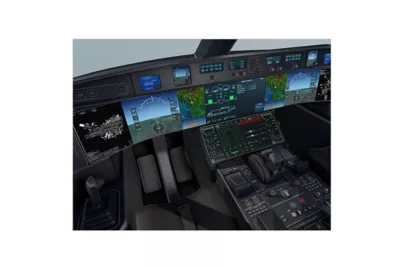
Modular, model-based, certifiable and configurable, Ansys SCADE Solutions for ARINC 661 Compliant Systems decrease overall avionics software development and modifications costs. Ansys also decreases the time-to-certification and is an important step in enabling more modular certification of ARINC 661 compliant aircraft components.
- Decreased Time to Certification
- Increased Productivity and Decreased Cost
- Modular, Model-Based, Configurable Development
- Compliance with ARINC 661 and FACE
Features
Quick Specs
Ansys SCADE Solutions for ARINC 661 is a fully integrated solution for the specification, development and certification of avionics displays following the ARINC 661 standard
Still have a question?
Customizable Widgets Library
Dedicated ARINC 661 Server Creator UI
Automatic code Generation
Advanced Modeler
UA DF Generator
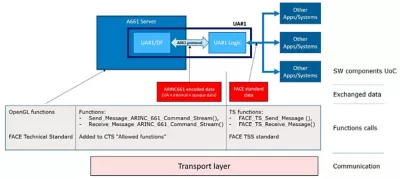
FACE Technical Standard Conformance
SCADE Tools Integration
Capabilities
Develop ARINC 661 compliant systems in record time with Ansys SCADE Solutions
Ansys SCADE Solutions for ARINC 661 compliant systems fully adhere to the ARINC 661 standard, including the ARINC 661 Server, the User Applications (UA), standard binary and XML Definition Files (DF), and the communication code between Ansys SCADE UA models and any ARINC 661 Server. This ultimately saves time and reduces effort and cost when developing cockpit display systems.
Capabilities
Key Features
Ansys SCADE Solutions for ARINC 661 Compliant Systems provides a comprehensive set of automated features for CDS and UA developers to maximize productivity
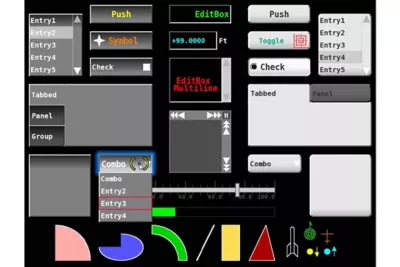
Customizable widget library
ARINC 661 Widget Prototyping and Design
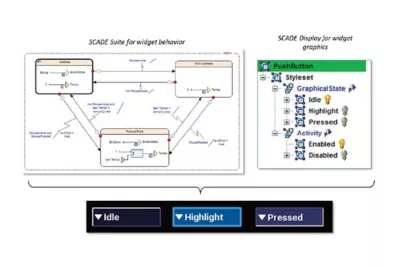
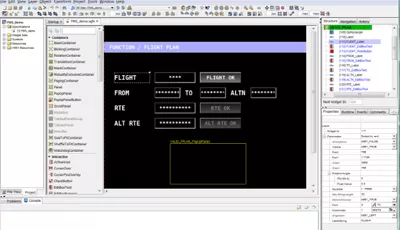
ARINC 661 Widget Prototyping and Design SCADE Server Creator User Interface is a dedicated user interface that enables aircraft manufacturers and CDS developers to customize and develop new widgets using SCADE Model Based technology.
The SCADE Server Creator User Interface allows aircraft manufacturers and CDS developers to automate the creation of a widget library from prototyping—all the way through implementation to customization and simulation as models for SCADE Suite and SCADE Display. Create and manage configuration files that define the widgets list, as well as interfaces and dependencies. You can even prototype and design new widgets for your project. Once the new widgets are defined, use the models for debugging and simulation of your ARINC 661 server.
Automatic ARINC 661 Server Generation
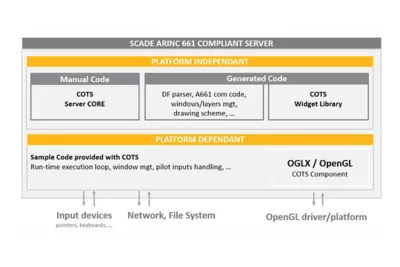
Automatic ARINC 661 Server Generation SCADE Server Creator for ARINC 661 enables aircraft manufacturers and CDS developers to automatically generate the majority of the ARINC 661 server C source code.
SCADE Test Model Coverage, combined with SCADE Test Environment for Host, allows you to measure the model coverage of test cases created and executed on host. Even better, model and code coverage are merged into a single activity, cutting the required time and effort in half. Model-level coverage measures branch coverage, decision coverage and modified condition/decision coverage within a qualified development tool, according to DO-178C/DO-330 TQL-4, ISO 26262 TCL3, EN 50128 T2 and IEC 61508 T2.
ARINC 661 UA Definition File (DF) Prototyping and Design
ARINC 661 UA Definition File (DF) Prototyping and Design SCADE UA Page Creator for ARINC 661 is an add-on that enables UA designers to prototype and design ARINC 661 UA DF pages as models.
The SCADE UA Page Creator for ARINC 661 Compliant Systems enables UA designers to prototype and design ARINC 661 UA DF pages as models on a host workstation. You can instantiate widgets and model all DF parameter types with real-time “What You See Is What You Get” feedback for all standard and custom widgets. The UA Page Creator uses the same front-end as SCADE Display with its advanced editing capabilities. Get started quickly with a built-in library of default widgets and a unified project structure across all SCADE projects for easy management of project resources.
DO-178C Qualifiable ARINC 661 UA DF Generation
DO-178C Qualifiable ARINC 661 UA DF Generation SCADE UA DF Generator is an automatic, DO-178C qualifiable tool that generates standard binary and XML Definition Files from UA Page Creator ARINC 661 models.
With the UA DF Generator, you can automatically generate binary ARINC 661 UA DFs using your SCADE UA Page creator models and export to standard XML DF. The Generator supports GBK/UTF-8-character sets along with Symbols and Pictures Graphical Definition. It also provides full support of ARINC 661 Supplement 7, including new widgets and extensions. UA DF Generator Certification Kits provide everything required by DO-178B and DO-178C certification authorities, ensuring that you can certify your design.
ARINC 661 UA Communication Code Generation
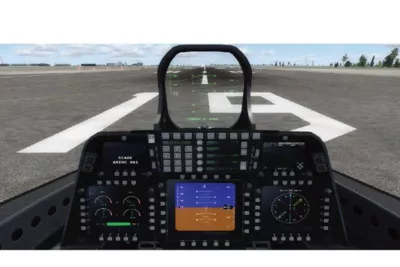
ARINC 661 UA Communication Code Generation SCADE Suite UA Adaptor for ARINC 661 is an add-on module that enables you to automatically generate ARINC 661-compliant C communication code between the SCADE Suite UA and any ARINC 661 Server.
The UA Adaptor for ARINC 661 Compliant systems makes it possible to generate C communication code for the SCADE Suite UA based on the connection data between a SCADE Suite UA model and a SCADE UA Page Creator model or binary DF. The code corresponds to “set parameters” and “get events” and conforms to the ARINC 661 standard. The UA Adaptor module includes a dedicated UI for editing of mapping data between UA and DF at the model level and provides full support for ARINC 661 Supplement 7, including new widgets and extensions.
Test automation framework
Test automation framework The ARINC 661 Test Automation Framework is composed by a set of Python libraries that constitute the building blocks of an end-user test environment.

It provides comprehensive services allowing the formal testing of ARINC 661 widgets, considered as black box software components that are part of an ARINC 661 compliant CDS Server.
Visioneering
Recent Events &
Webinars
Discover how engineering simulation is expanding across the entire product lifecycle.
Ansys Multiphysics
Conference
Join us on Saturday, June 10th, 2023, at 3 PM. The event will take place at Riverside Park, 123 River Lane, Springfield.
Blog
Future Tech Expo 2025
Join us on Saturday, June 10th, 2023, at 3 PM. The event will take place at Riverside Park, 123 River Lane, Springfield.
Blog
Innovative Simulations
Summit 2025
Join us on Saturday, June 10th, 2023, at 3 PM. The event will take place at Riverside Park, 123 River Lane, Springfield.
Innovative Simulations
Summit 2025
Join us on Saturday, June 10th, 2023, at 3 PM. The event will take place at Riverside Park, 123 River Lane, Springfield.
Ansys Multiphysics
Conference
Join us on Saturday, June 10th, 2023, at 3 PM. The event will take place at Riverside Park, 123 River Lane, Springfield.
Blog
Innovative Simulations
Summit 2025
Join us on Saturday, June 10th, 2023, at 3 PM. The event will take place at Riverside Park, 123 River Lane, Springfield.
Visioneering
Blogs & Trends
Discover how engineering simulation is expanding across the entire product lifecycle. engineering / product design analysis by modeling & simulation.

Introduction Mi tincidunt elit, id quisque ligula ac diam, amet. Vel etiam suspendisse morbi eleifend faucibus eget vestibulum felis. Dictum quis montes, sit sit. Tellus aliquam enim urna, etiam. Mauris
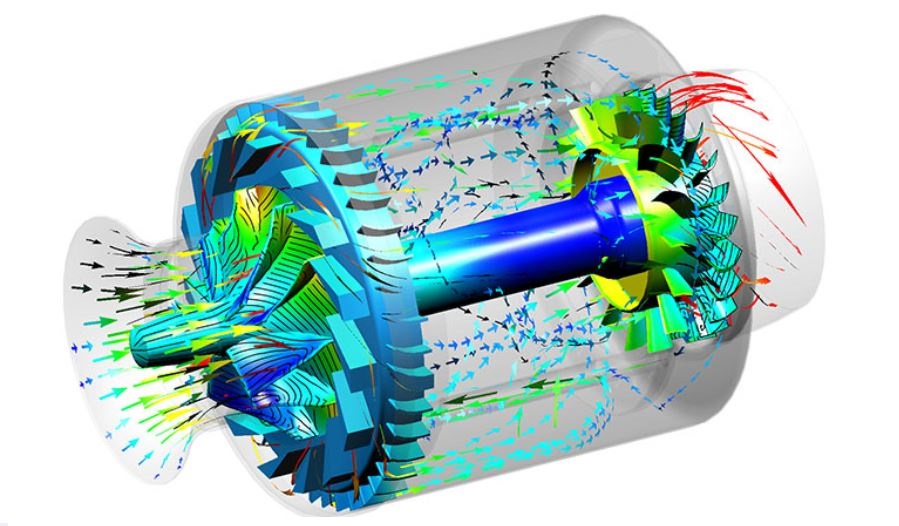
Introduction Mi tincidunt elit, id quisque ligula ac diam, amet. Vel etiam suspendisse morbi eleifend faucibus eget vestibulum felis. Dictum quis montes, sit sit. Tellus aliquam enim urna, etiam. Mauris
Introduction Mi tincidunt elit, id quisque ligula ac diam, amet. Vel etiam suspendisse morbi eleifend faucibus eget vestibulum felis. Dictum quis montes, sit sit. Tellus aliquam enim urna, etiam. Mauris
Introduction Mi tincidunt elit, id quisque ligula ac diam, amet. Vel etiam suspendisse morbi eleifend faucibus eget vestibulum felis. Dictum quis montes, sit sit. Tellus aliquam enim urna, etiam. Mauris
Innovate
Breaking News & White Paper
Discover how engineering simulation is expanding across the entire product lifecycle.
Smart Strategies for Large Structural Simulations
One way to gauge the progress of engineering simulation software is through the lens of size. Engineers today routinely run structural simulations with a few million degrees of freedom, and the largest commercial structural simulations have topped even 100 million degrees of freedom.
Introduction Mi tincidunt elit, id quisque ligula ac diam, amet. Vel etiam suspendisse morbi eleifend faucibus eget vestibulum felis. Dictum quis montes, sit sit. Tellus
Studies
Case
Explore Case Studies
Qantur Technologies is a pioneer engineering simulations company based in Gurgaon –India. We provides expert Computer Aided Engineering – CAE consulting services for engineering / product design analysis by modeling & simulation.
Download Case Study
Transform Ideas into Reality—Explore Our Simulation Solutions Today!
Partner with Us to Revolutionize Engineering Excellence!
Testimonials
Customer Testimonials
Bengal Industries Pvt. Ltd
Highly informative ANSYS Mechanical training resolved contact, meshing, fatigue challenges, delivered professionally with structured sessions and dependable post-sales support.
Sneha Iyer — Simulation & Validation Lead
Strong CFD expertise and reliable consulting achieved high accuracy, building confidence and establishing a preferred partnership for complete ANSYS simulation solutions.
Aditya Rao — Senior FEA Specialist
Insightful ANSYS training enhanced analytical skills through expert guidance in FEA, CFD, geometry, meshing, and modeling for students and faculty.
Nikhil Bansal—Product Engineering
Outstanding ANSYS implementation and consulting delivered timely FEA and CFD support, strengthening team capabilities through structured, high-value training sessions.
Ananya Mehta — CAE Project Lead
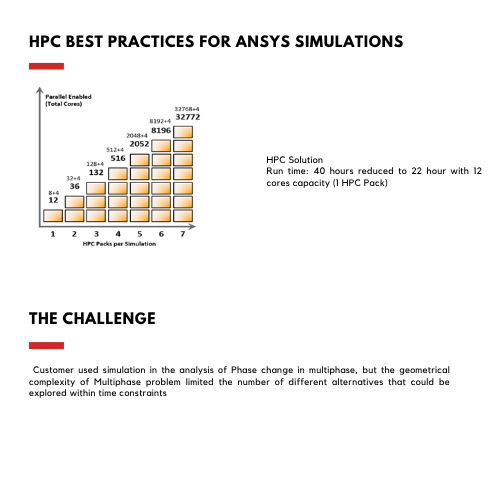
Advanced ANSYS HPC and CFD solutions enabled effective hydro turbine simulations, supported by expert training, technical guidance, and reliable support.
Saurabh Joshi — Senior Mechanical Engineer
Customized SpaceClaim training with hands-on workshops improved modeling skills, supported by proactive guidance, tailored sessions, and strong application engineering expertise.
Pooja Shah — CFD & Thermal Analysis Lead
Advanced drone development benefited from ANSYS expertise, delivering effective FEA and CFD solutions, training, and support for complex engineering challenges.
Manish Gupta — Engineering Analysis Manager
Innovation in autonomous drones improved through ANSYS implementation, expert FEA, CFD consulting, and training for better validation, performance, and efficiency.
Arjun—Head – Engineering Analysis
Significant R&D improvements achieved through ANSYS expertise, accelerating validation, optimizing performance, and solving complex engineering challenges with expert support.
Rahul Mittal — Head of R&D
Rail solutions enhanced using ANSYS ICEPAK and Mechanical, delivering expert training, strong FEA, CFD support, and deeper understanding of core physics.
Vikram Sharma — Lead Engineer – Simulation
Responsive CFD support and training enabled faster validation, solving meshing challenges and strengthening R&D team’s simulation and design capabilities effectively.
Neha Kapoor — Manager – R&D
Reliable ANSYS implementation and FEA expertise delivered consistently under challenging conditions, demonstrating professionalism, technical strength, and strong project commitment.
Arjun Mehta — Senior Simulation Engineer
Engineering capabilities improved with ANSYS Mechanical expertise, optimizing components through hands-on training, prompt support, and strong FEA knowledge application.
Rohan Malhotra—Engineering Manager–CAE
Exceptional ANSYS expertise combining LS-DYNA and Mechanical training, supported by proactive guidance, solving complex challenges with professionalism and customer-focused collaboration.
Priya Nair — Lead CFD Engineer
Informative ANSYS Mechanical training enhanced analytical skills, delivered smoothly with strong coordination, structured sessions, and excellent trainer support throughout program.
Amit Verma — Senior Design Engineer
ANSYS FEA and CFD expertise improved product reliability, optimization, and efficiency through strong consulting, implementation, training, and dedicated technical support.